
GIFT OPTIONS
Gift Cards
Not sure what to get your loved one? One of our very flexible Gift Card. options will make an awesome gift. Our Gift Cards can be purchased in any amount from $25 - $500, and there are a number of lovely images to choose from. The system is set up so you can automatically e-mail the Gift Card to your recipient with your own note. If you'd rather give them something in person, a PDF version of the Gift Card is available in your My Account area for download and printing after purchase.Gift Wrapping
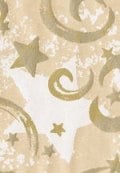 Want an elegant presentation of your gift? Let us wrap it for you! We've searched the planet for the most environmentally sound gift wrapping solution we could find. Your gift will be presented in one of several gift wrap motifs appropriate for the season. They are all printed on unbleached, recycled Kraft paper and tied with natural raffia ribbon. Once unwrapped, your recipient will find their clothing neatly packed in an unbleached, recycled apparel box (made from a minimum of 65% post-consumer recycled contents) along with 100% recycled tissue paper. We are happy to offer this wonderful, earth-friendly gift wrapping at just $5 per item, or about the same price most other companies charge for boxes and wrap from virgin materials.
Also check out our selection of Tree-Free Gift Bags for year-round eco-friendly gift presentation options.
Want an elegant presentation of your gift? Let us wrap it for you! We've searched the planet for the most environmentally sound gift wrapping solution we could find. Your gift will be presented in one of several gift wrap motifs appropriate for the season. They are all printed on unbleached, recycled Kraft paper and tied with natural raffia ribbon. Once unwrapped, your recipient will find their clothing neatly packed in an unbleached, recycled apparel box (made from a minimum of 65% post-consumer recycled contents) along with 100% recycled tissue paper. We are happy to offer this wonderful, earth-friendly gift wrapping at just $5 per item, or about the same price most other companies charge for boxes and wrap from virgin materials.
Also check out our selection of Tree-Free Gift Bags for year-round eco-friendly gift presentation options.
Creating a Wishlist
You can click on the heart icon on any product page to add that item to your Wishlist. You must have an account and be logged in to create a Wishlist, however that little effort is well worth the benefits. You can add notes to your items on your list, keep your list private for yourself, or share it with anyone with an e-mail address. You can even send a personal note to friends or family members with whom you are sharing the list.